

Make your money last until payday.
Your bank balance doesn’t tell the whole story. Zalt shows what’s left for everyday spending after upcoming bills and money you want to keep aside, whether you’re paid on a schedule or by the shift.
See how Zalt works

No bank connection. No loan offers. Works offline.
A clearer picture in four steps.
Start with your current balance and next payday. Use the money you have today; expected pay stays separate until it arrives.
Based on the balance and commitments you enter. Zalt helps you plan; it doesn’t move your money.
Everyday actions, right in your account.
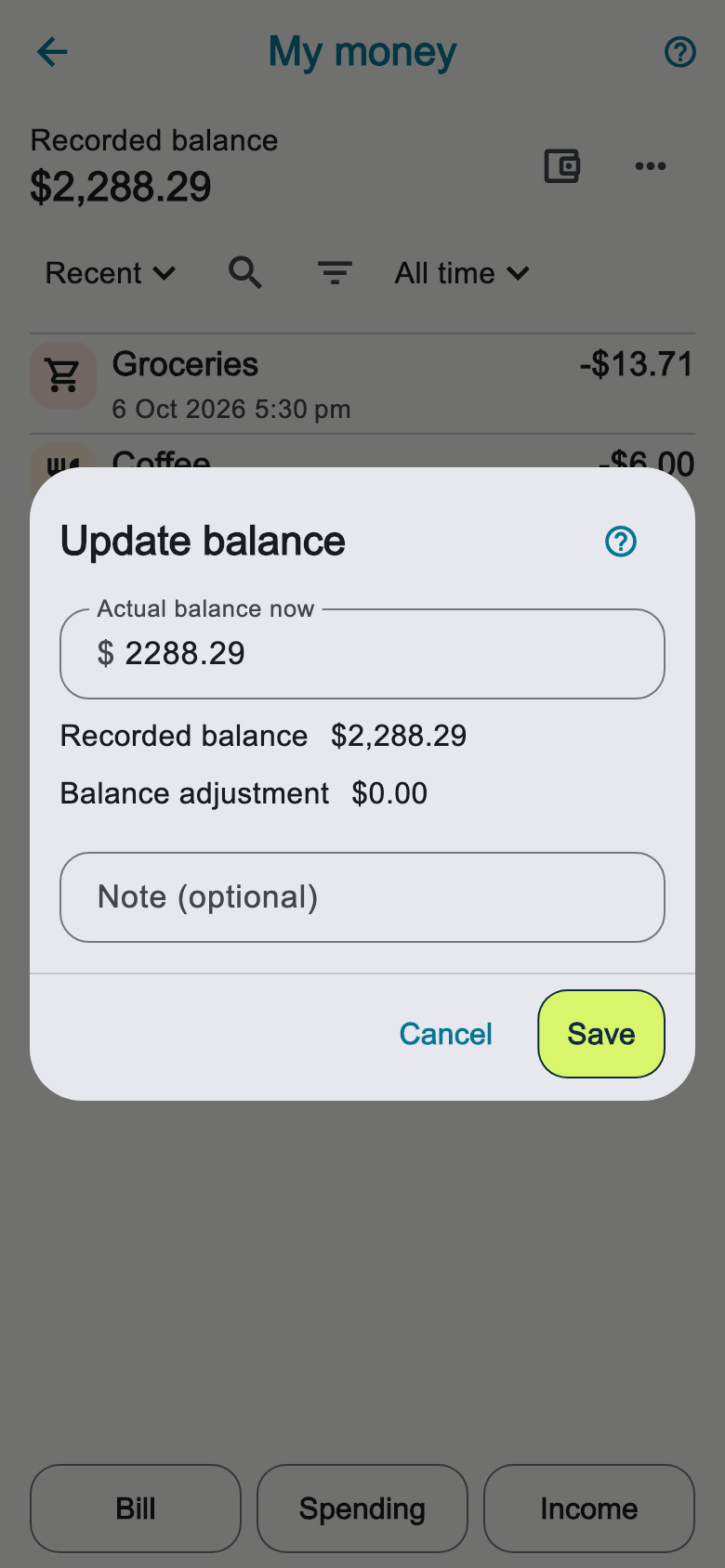
Record spending, add a bill or record income without returning Home. Switch between Recent and Categories with the view dropdown. Search and filter your history, or open the three-dot menu to transfer money or update a balance.

Know what each payment needs
Choose Bill or Instalment plan, or use the Pay in 4 preset. Clear amount labels and a payday preview show which payments need covering. Scan or import a bill to start from its details, then review before saving.

Record money when it arrives
Record pay or extra income from Today. Choose a category and add optional details. Edit income later in Activity, and confirm whether it is already included in your balance.

See how your money lasts until payday
See available money and total cash over the next 30 days, with upcoming bills, expected pay and estimated spending. Compare the lowest point with payday. Future amounts are estimates based on your plan and recorded history.

See where your spending goes
See recorded spending by category for a pay cycle, this month, last month, the last three months, this year, custom dates or all time. When payday is unknown, start with this month. Open a category to see the matching purchases.

Give everyday spending a place
Create optional category envelopes from the money you have left. Move allocations between them, see what remains and carry unused money forward. Bills and savings stay separate.

Make room for what matters
Set a savings target and an optional date. See a suggested contribution for each payday and preview its effect before saving. You choose when to add money.

Real app screens with fictional example plans. Amounts and dates are illustrations.
Keep debts in your payday plan
Keep balances, upcoming repayments and dated lender balance checks together. Record payments, undo mistakes and export your debt history. Scheduled cash repayments count towards bills reserved before payday.
Explore a path to paying it off
Compare snowball and avalanche estimates. For supported monthly debts paid from cash, preview recurring and dated one-off extras, then choose Apply to plan. Extras become future bills; cash only changes when you record payment.
Get estimates with editable starting assumptions for rates, repayments, fees and calculation methods. These are illustrations, not financial advice or lender quotes. Actual costs and dates may differ; check your lender’s terms.
A quick check from your wrist
Check your payday status and record spending on Apple Watch or Wear OS, even offline. When entries reach your phone, Zalt flags possible duplicates with the same amount, account and category entered within 15 minutes on the other device. You choose whether to keep both purchases.
Apple Watch

Wear OS

App captures show example data.
Give today’s spending a little direction.
Groceries, a coffee, the trip home. A daily guide gives you a reference for the everyday decisions between paydays. Check your plan as your balance or bills change.
Missed a few days? Carry on.
Life gets busy. You don’t need to reconstruct every purchase to pick up your plan again. Update your current balance and Zalt works from where you are now.
Your money is personal. Your plan stays that way.
No bank login and no Zalt account. Optional encrypted copies go to your chosen storage provider, manually or automatically after changes while Zalt is running. Zalt receives neither your plan nor your recovery code. Your provider controls cloud uploads and deletion. Turning backup off leaves existing copies in place. CSV exports are unencrypted files you choose to save. Zalt counts ad views and taps without a persistent user or device ID in those events. Your balances, notes and selected area are never included. Our privacy policy explains SDK diagnostics, app update checks and provider data handling.
Privacy Policy